

Looking to get more out of HubSpot?
Speak with our team to discuss how we can help you get the most out of the platform.
Right now, companies you'd love to sell to are visiting your website. They're reading your content, checking your pricing page, researching your services. And then they leave, without filling in a form or starting a conversation. You have no idea who they were.
That's the problem HubSpot buyer intent is designed to solve. It uses reverse IP matching and enrichment data to surface the companies visiting your website and researching topics relevant to your business, even if they never convert. For B2B marketing and sales teams using HubSpot, that's a significant shift in how you identify, prioritise, and act on the right accounts.
In this blog, we'll walk through what HubSpot buyer intent does, how to configure it, and how to put the data to work.
HubSpot buyer intent gives you two distinct types of signal, and it's worth understanding the difference between them because they serve different purposes.
Visitor intent uses reverse IP lookup to identify which companies have been on your website. When a company's network visits your site, HubSpot matches that IP address to a company record and surfaces it in your buyer intent dashboard. You can see which pages they visited, how recently, and how frequently. It's direct evidence that a specific company has been looking at what you do.
Research intent works differently. This surfaces companies that are actively researching topics you've selected, across the web, even if they've never been near your website. HubSpot gathers this data through third-party data sharing agreements, which allow it to understand which companies are researching particular subjects at any given time.
The reason both signals matter is that they catch different kinds of intent at different stages:
This is the most important step. Without target markets, buyer intent will surface thousands of companies — competitors, businesses in the wrong sector, and plenty you'd never sell to even if you wanted to.
Target markets let you filter down to companies that match your ideal customer profile. You can filter by:
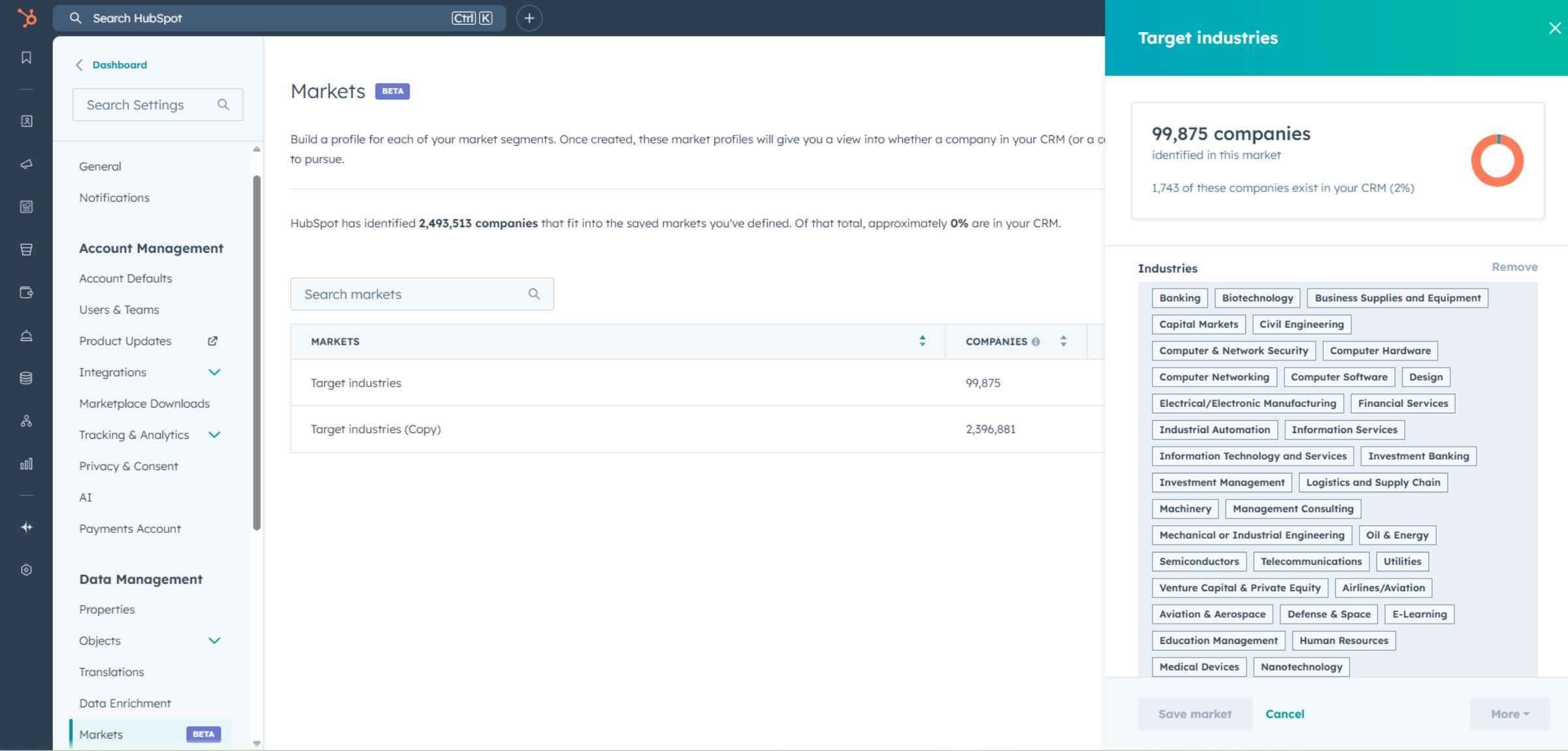
You can set up multiple target markets if you sell to distinct segments. Getting this right early also protects your Breeze credits, since adding a company to your CRM uses credits each time.
Not every page visit signals meaningful intent. Someone reading a top-of-funnel blog is at the very start of their journey. Someone on your pricing page or case studies is a different story.
HubSpot lets you add up to 10 intent criteria, so you can focus on the pages a real buyer would visit while evaluating a solution. When thinking about which pages to include, ask yourself: would a genuine prospect visit this page while researching whether to buy from us? If the answer is yes, it belongs in your intent criteria. Good starting points include:
You can also set exclusions, which is useful if there are pages you want to deliberately filter out. Leave it set to all pages and your list will be enormous and mostly unhelpful. The tighter your criteria, the more useful the data.
Think about this like SEO. What topics do you want to be associated with? For a HubSpot partner like us, that means terms like "HubSpot agency," "HubSpot consulting," or "HubSpot services." Once added, HubSpot shows you companies actively researching those topics across the web, before they've even heard of you.
Start with the terms that most closely describe what you do, then expand outward. Think about the language your buyers use when researching a problem, not just how you'd describe your own services. HubSpot gathers this data through third-party data sharing agreements, which allow it to understand which companies are researching particular subjects at any given time.
The topics you select directly determine the quality of the research intent data you get back, so it's worth building a thorough list rather than a quick one.
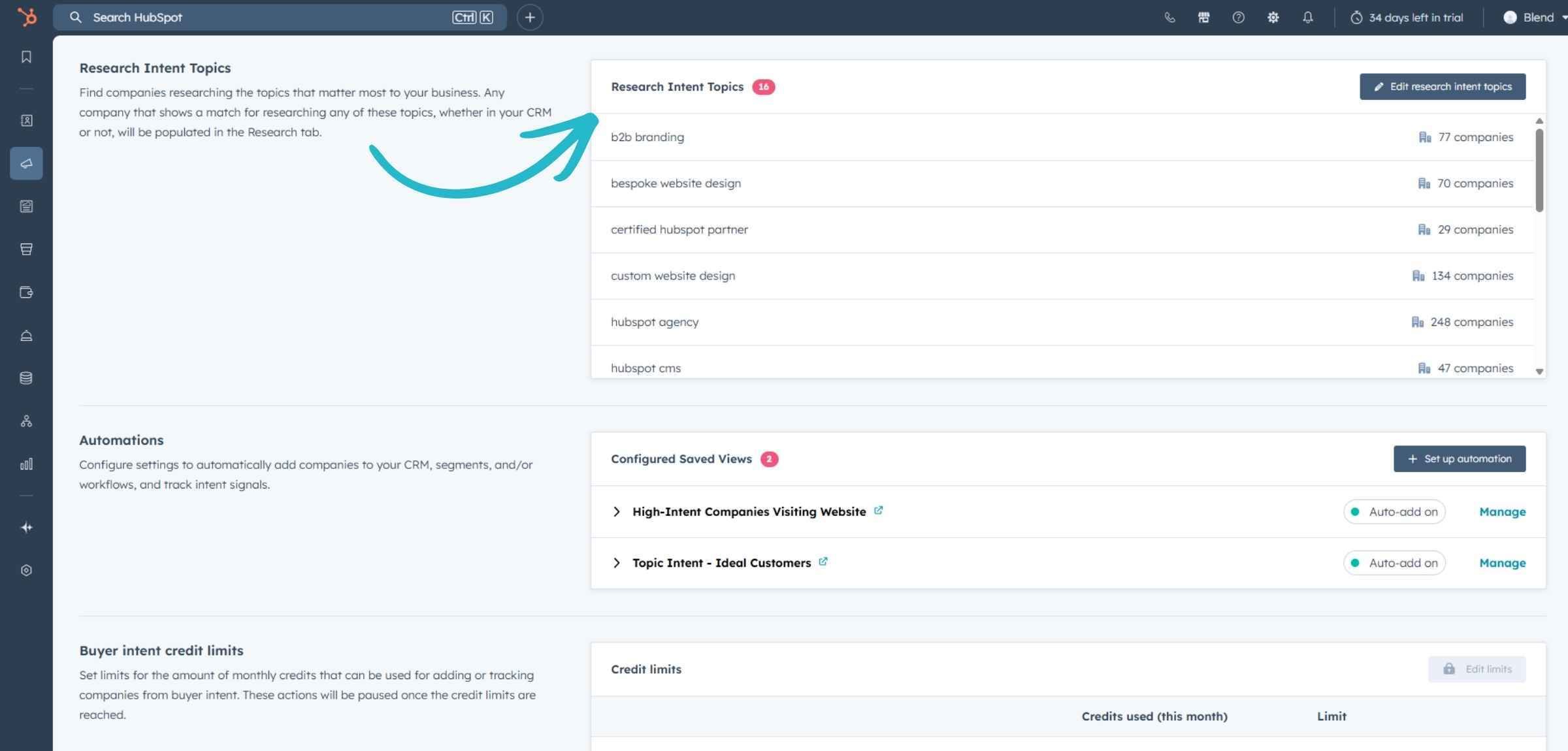
HubSpot's automation options let you push companies into your CRM, enrol them in workflows, or add them to segments automatically based on the views you set up. For example, you could:
It's all view-based, which keeps it straightforward to manage. Actions within buyer intent use Breeze credits, so be deliberate about what you switch on.
Signals are where buyer intent starts to feel more like a sales intelligence tool. Add the accounts you most want to track and HubSpot will monitor intent indicators for them on an ongoing basis. The signals it tracks include:
Configure signals against an assumed list of accounts and you get noise dressed up as intelligence; configure them against accounts whose company records were properly structured during Blend's HubSpot CRM implementation process, and signals sit on data that's actually worth watching.
These appear directly on the company record in your CRM, building a running timeline of activity for each account you're watching. If you're running an account-based approach, this is where the real value lies. You're not just reacting to a single visit or a one-off research signal. You're building a picture of how an account is behaving over time, and your outreach can reflect that.
For sales teams especially, email digests are the most practical way to keep buyer intent front of mind. Rather than expecting reps to log into HubSpot and check the dashboard every day, digests bring the data to them on a schedule that suits how they work.
You can set these up as daily, weekly, or monthly emails based on any saved view. So if you have a view that shows target market companies visiting high-intent pages, you can send that list directly to the relevant rep or team on a schedule. You can also set up notifications specifically for new intent signals on tracked accounts, so if a key prospect suddenly starts showing research activity, your team knows about it straight away rather than catching it in the next weekly digest.
If there's one part of buyer intent to check regularly, it's the visitors section. This shows the companies that have actually been on your website, filtered by your intent criteria.
From here you can:
Each company gives you a preview of their size, how engaged they've been, and whether they're already in a segment or workflow before you even need to click in.
For marketing, buyer intent opens up a level of targeting that's hard to achieve through other means. You're not building audiences based on assumptions. You're building them based on demonstrated behaviour.
Paid social: If a cluster of companies in your target market are visiting your pricing page, you can add them to a segment and serve them LinkedIn ads specifically. You're putting your message in front of companies that have already shown interest, and you can tailor that message to reflect where they are in their research.
Content strategy: Research intent topics tell you what your buyers are actively searching for right now, not six months ago when you last reviewed your editorial calendar. If in-market companies are researching a topic you haven't covered well, that's a gap worth closing.
Nurture workflows: A company visiting your pricing page can be automatically enrolled into a workflow that delivers the right follow-up content, a relevant case study, a comparison guide, or an event invitation, timed to land while they're still actively evaluating. That's a very different experience to sending the same generic nurture sequence to everyone on your list.
For sales, the most valuable shift buyer intent enables is moving from cold outreach to prioritised outreach.
Cold lists are a volume game. You're reaching out to a broad set of accounts and hoping some of them happen to be in the market right now. The hit rate is low, the conversations are harder, and you risk damaging your reputation with accounts that aren't ready.
Buyer intent changes that completely. Instead of guessing which accounts might care, your reps can focus on the ones already showing they do. Specifically, they can:
A 48% year-on-year increase in high-intent MQLs is what Blend's work with Robin Radar Systems delivered once inbound demand generation was paired with intent-led targeting, proof that prioritised outreach compounds once marketing and sales are reading the same signals.
Because everything lives in HubSpot, reps don't need to jump between tools. The intent data, the company record, the contact history and the outreach options are all in one place.
HubSpot buyer intent is only as good as the configuration behind it. Precise target markets, well-chosen intent criteria, a solid list of research topics, and properly tracked signals will give you a focused, actionable view of in-market accounts. Leave it broad and unconfigured and you'll have noise.
The interest is already out there. This tool just makes it visible. Whether you want to help sales focus on the right accounts, give marketing better data to work with, or stop watching potential customers disappear without a trace, get the setup right and the rest follows.
Speak with our team to discuss how we can help you get the most out of the platform.