
Using HubSpot as a CMS
Everything you need to know about using HubSpot CMS to build a website.
If you're looking to create secure, gated areas on your HubSpot website, memberships might be exactly what you need. But before diving in headfirst, it's worth understanding what they can do, their limitations, and whether they're the right solution for your specific needs.
HubSpot memberships is a Content Hub Enterprise feature that lets you restrict specific areas of your website to certain users. Rather than having all your pages publicly accessible, you can create secure areas that only specific access groups can view.
Think of it as adding a secure login system to your HubSpot site without needing any external membership plugins or third-party tools. Everything runs natively within HubSpot, which means your gated content integrates seamlessly with your CRM data and other HubSpot tools. This native integration is just one of the many benefits of HubSpot CMS for building sophisticated websites.
Common uses for Memberships include:

HubSpot memberships provide two ways to grant access to restricted content on your website.
With this approach, you control access by adding contacts to HubSpot lists. These can be active lists that automatically include contacts meeting certain criteria, or static lists you manage manually. It's ideal for scenarios like giving customers access to purchased content or creating employee-only areas. Once added to a list, contacts receive an email invitation to set up their membership account.
Alternatively, you can let visitors register themselves through a form on your website. This works well for content libraries or resource centres where registration itself is the only requirement. When someone completes your registration form, HubSpot automatically creates their contact record and grants them membership access.
The experience feels familiar to users. They register, set a password, and gain access to exclusive content. Password resets and account management work just as expected. For admins, everything happens within HubSpot's standard interface – no new systems to learn.
HubSpot handles security seriously. Passwords are encrypted and hashed, with secure reset processes in place. The platform supports single sign-on (SSO) and social logins for organisations needing advanced authentication options. All of this security infrastructure is managed through HubSpot's website hosting, ensuring your membership areas remain protected without additional hosting complications.
Understanding what memberships can't do is just as important as knowing their capabilities.
Not a community platform
Memberships don't include forums, chat features, or member interaction tools. If you need these, you'll require custom development or a different solution.
List-based permissions only
You manage access through lists, not roles. Creating complex permission structures means juggling multiple lists, which can become cumbersome.
Requires design and development
While HubSpot provides the membership functionality, you'll need to build everything else – login pages, member dashboards, navigation elements, and all gated content.
Without in-house technical resources, you'll likely need to work with a HubSpot partner agency.
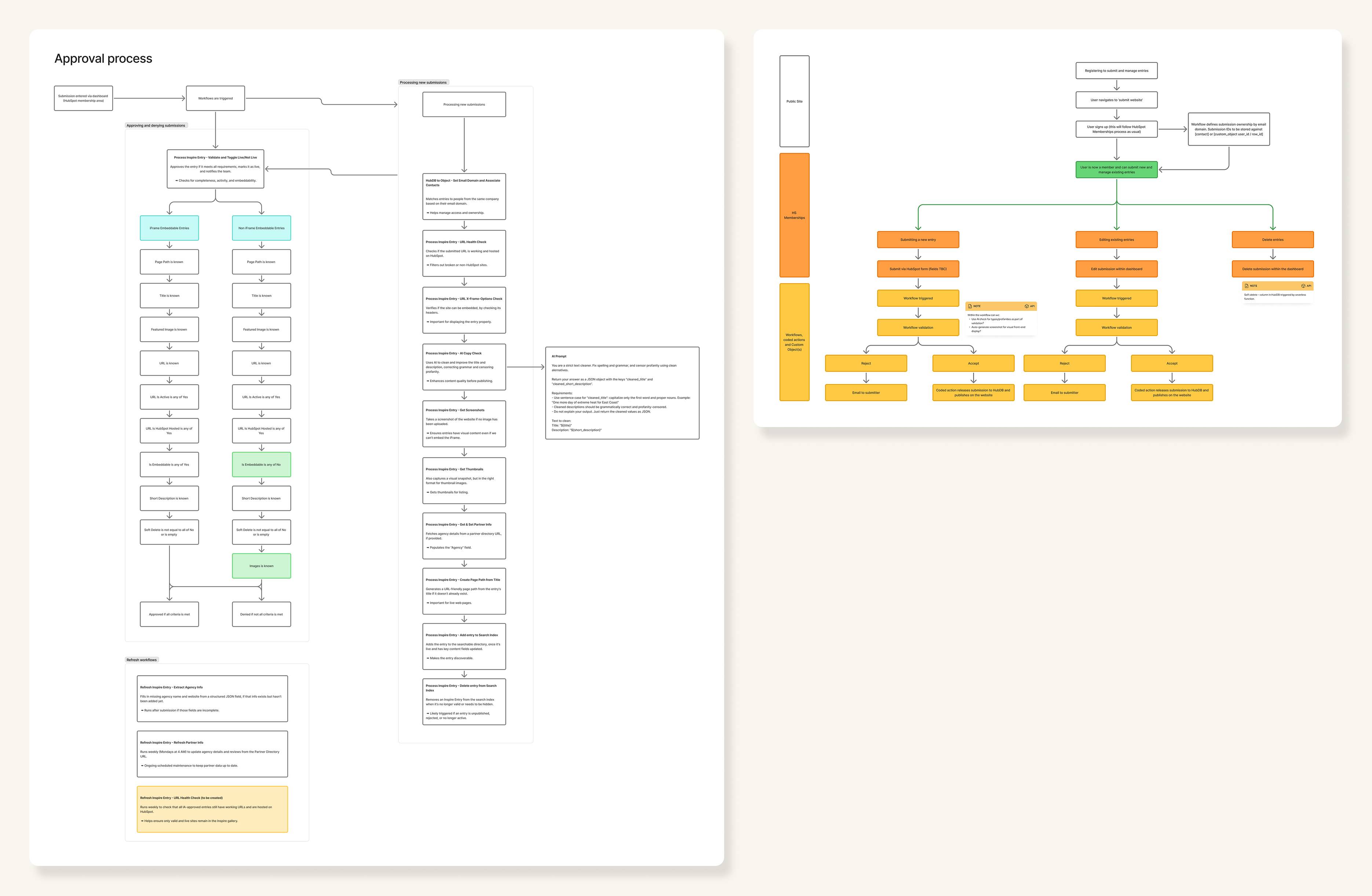
Let's examine how memberships work in practice by looking at HubSpot's Inspire Gallery – a project we built at Blend that showcases the platform's potential.
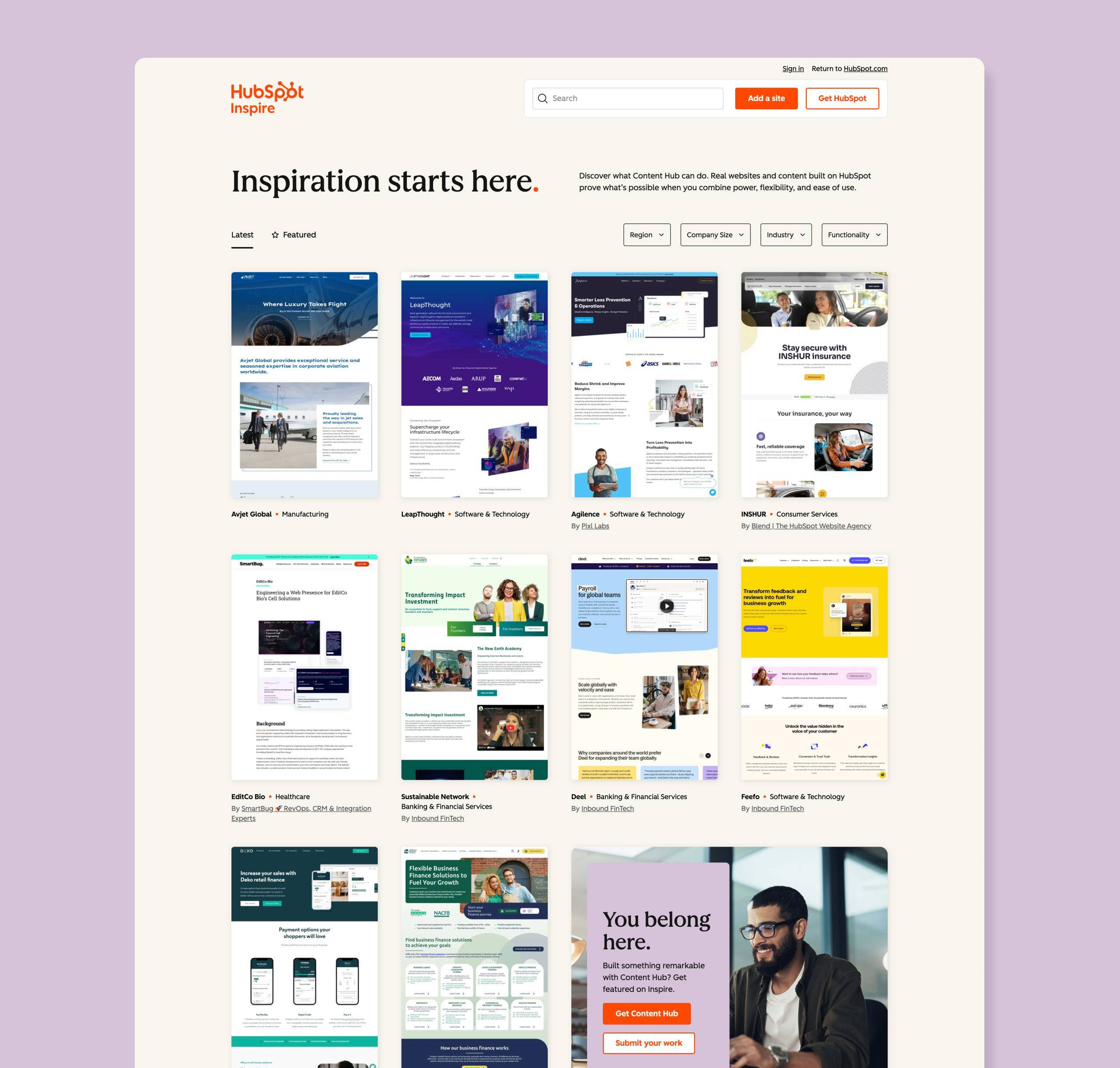
HubSpot needed a way for agencies and developers to submit their own websites to the gallery, requiring secure user registration, website submission, and ongoing entry management.
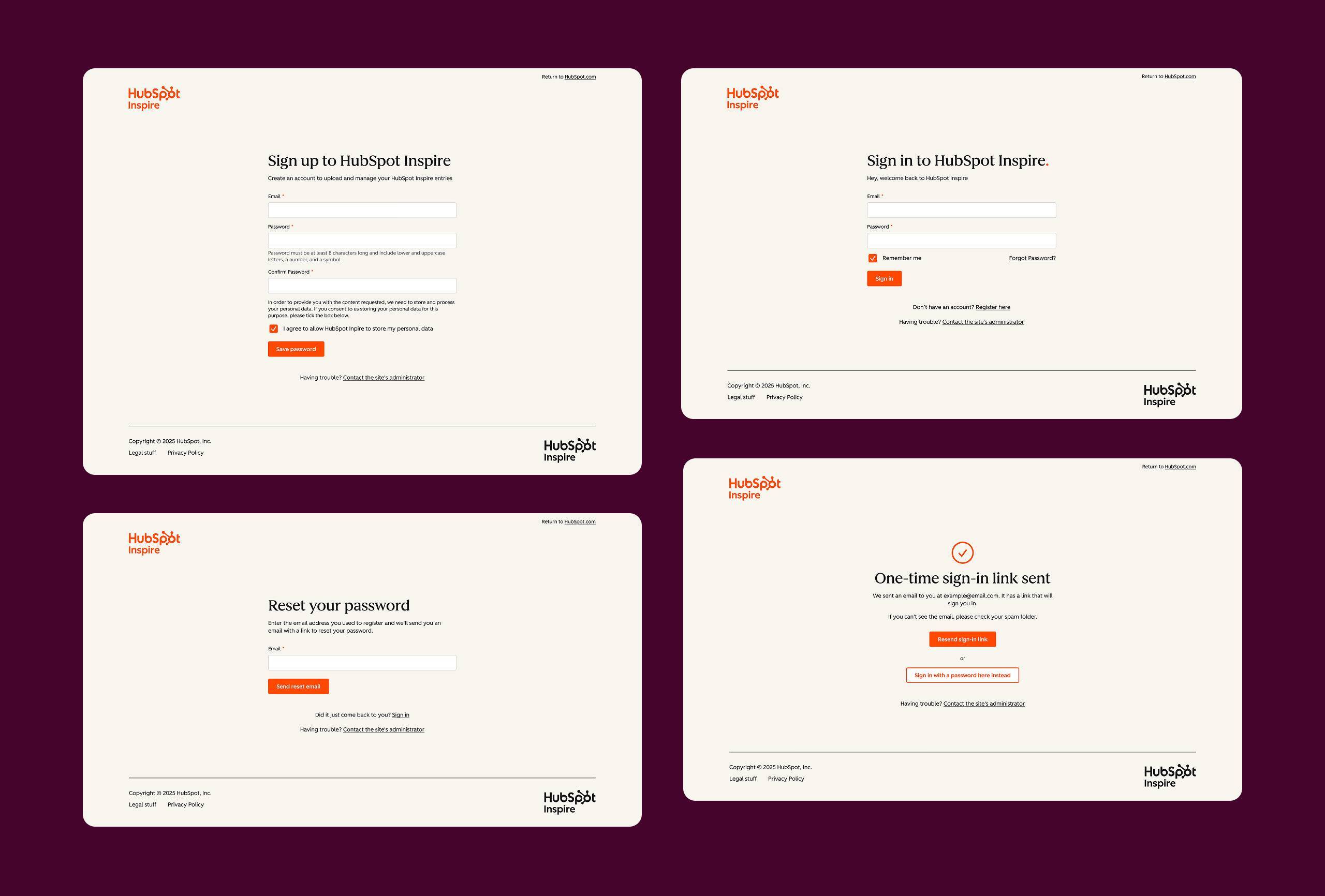
We implemented self-registration memberships to create a secure submission area. The public gallery remains open to everyone, but submission tools and management dashboards are completely hidden behind membership access.
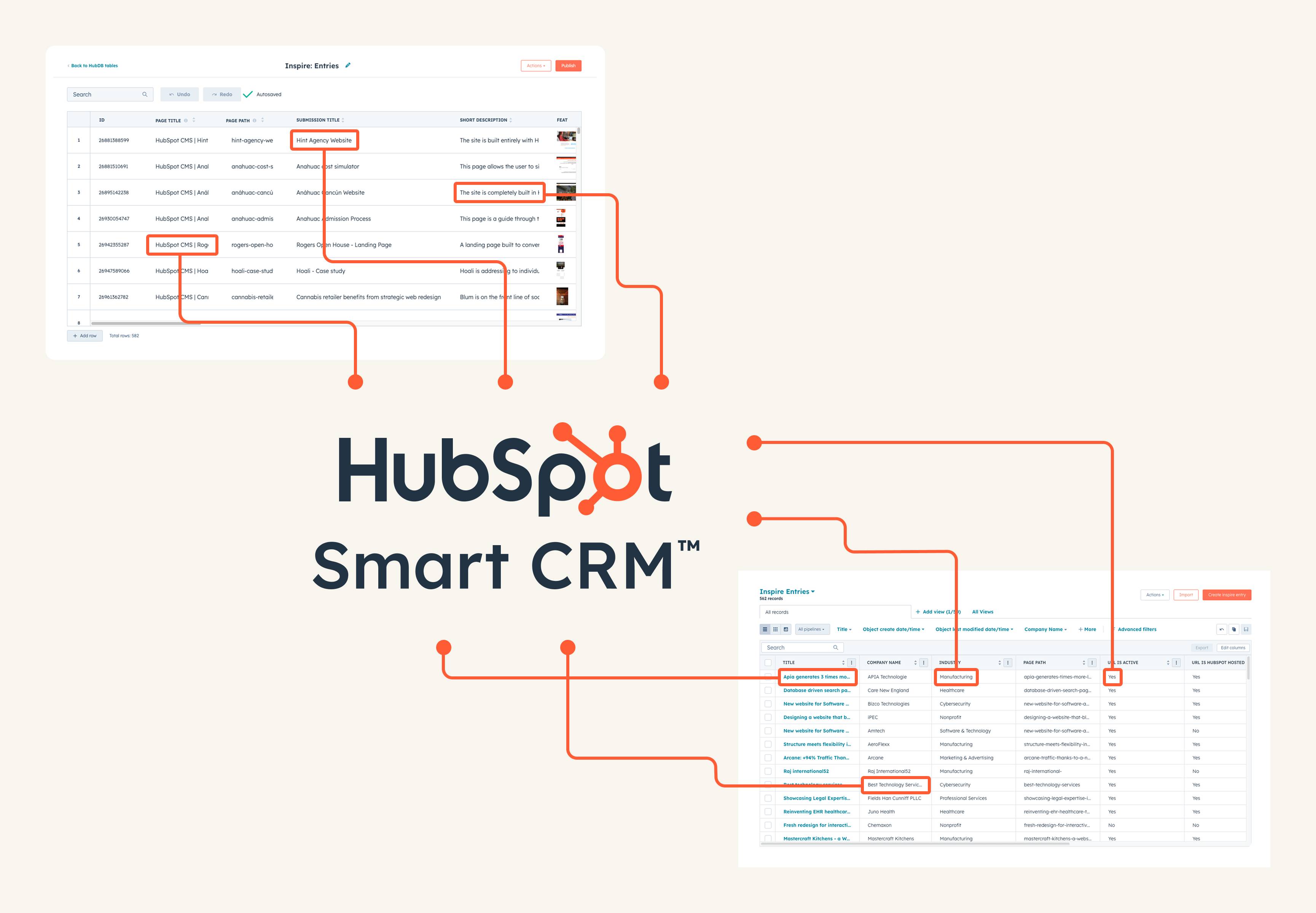
This is where things get interesting. We connected membership accounts to CRM records and their associated gallery entries, meaning members only see their company's submissions.
When a Blend team member logs in, they automatically see all Blend submissions – whether they personally submitted them or not. This happens through CRM associations, with data pulled dynamically based on the logged-in user.
This approach opens up exciting possibilities. Imagine customers viewing their order history, partners tracking their performance metrics, or employees accessing their personal training progress. By combining memberships with CRM data, you can create genuinely personalised experiences that would be impossible with traditional membership plugins.
Understanding appropriate use cases helps determine whether memberships suit your needs.
Create central locations for training materials, documentation, or exclusive content. Automatically grant access based on purchase history or subscription level.
Give agencies, resellers, or partners secure access to pricing sheets, marketing materials, or technical documentation tailored to their partner type.
Monetise content through paid subscriptions or gated resources. Combined with HubSpot's payment tools, create seamless purchase-to-access workflows.
Build company intranets, employee resource centres, or team-specific content areas. Grant access automatically based on email domain or department.
Show customers their order history, let partners track performance, or give employees visibility into personal development plans – all from your CRM.
Success with HubSpot memberships depends on proper planning and execution.
Essential planning steps:
Key considerations:
Most importantly, ensure genuine value exists behind your membership area. Members should feel the registration process was worthwhile.
HubSpot memberships offer a powerful way to create secure, gated experiences within your HubSpot website. While they have limitations, they excel at providing controlled access to content and creating personalised experiences through CRM integration. Whether you're looking to create a customer portal, partner resource centre, or any other type of restricted content area, HubSpot memberships are the foundation.
Everything you need to know about using HubSpot CMS to build a website.